It is common to start an experiment on the PlantArray system and later realize you need to adjust the start date. Whether due to initial setup errors, planting delays, or other timeline shifts, updating the start date ensures cleaner data and more accurate volumetric water content (VWC) calculations.
Here are the steps to change the start and end dates of your experiment:
- Log in to SPAC ANALYTICS, choose the desired experiment and click on the gear on the top right side of the screen (picture 1).
- Click on DATA REPARATION on the top right side of the screen (picture 2).
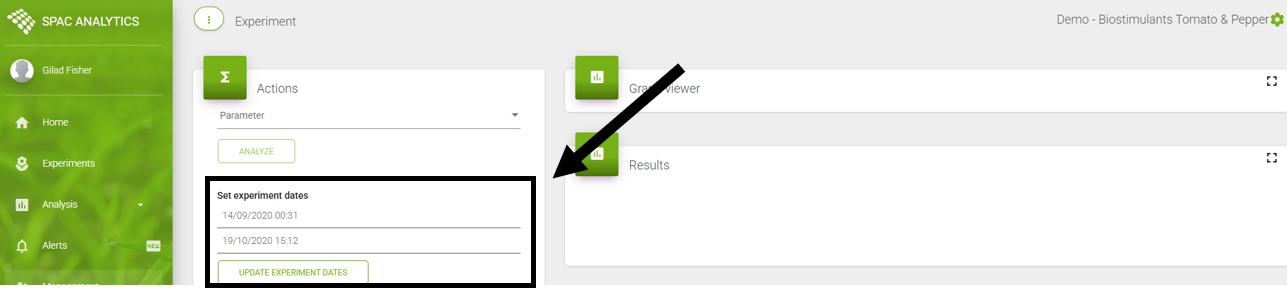
- Set the wanted start and end dates of the experiment and click on UPDATE EXPERIMENT DATES (picture 3).
- Your experiment dates have been updated.
Picture 1:
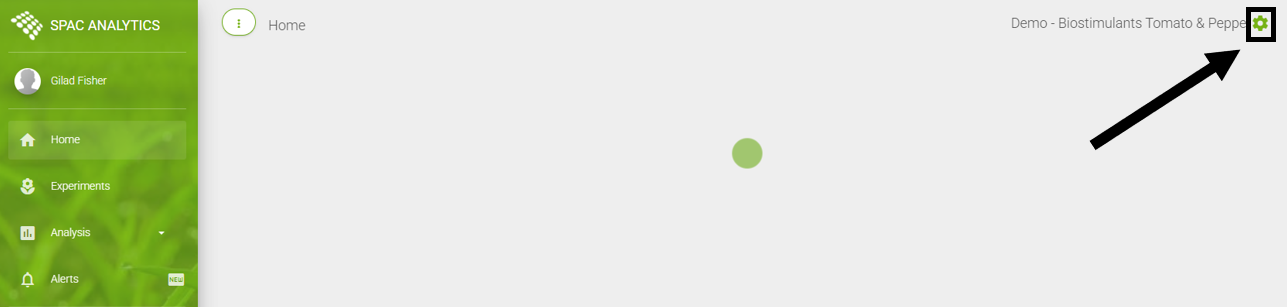
Picture 2:

Picture 3: