Overview
The Plantarray system is a high-tech experimental platform designed for studying live plants. Because experiments involve living organisms, automated alerts are crucial for helping researchers monitor plant health and ensure everything proceeds according to plan.
The Plantarray system provides three types of alerts:
Engine Alerts
Irrigation Alerts
Experimental Alerts
Setting Alert Receivers
Alerts from the Plantarray system are sent via email. To configure which email addresses receive these notifications, follow these steps:
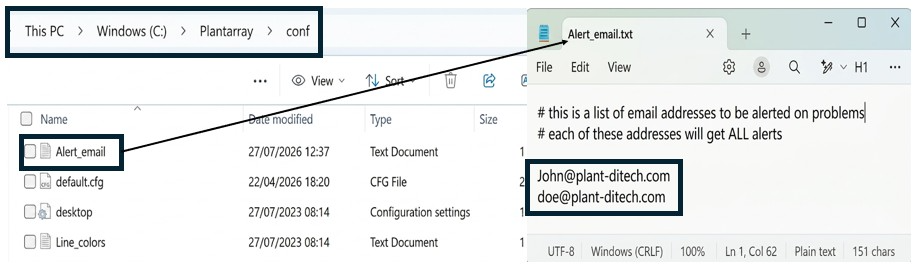
Navigate to your Plantarray installation directory (typically C:\Plantarray or C:\Program Files\Plantarray).
Open the folder named conf.
Locate the file named Alert_email and open it using Windows Notepad.
Add the email addresses you want to receive alerts (one per line) and save the file.
Engine Alerts
Engine Alerts are included free of charge and cover two key system events:
Communication Alert: Sent with the title "Plantarray Alert" and the message "Alert: Failed to connect to X plants out of Y", this notification indicates the number of disconnected units (X) out of the total system count (Y).
Temperature Alert: Sent with the title "Plantarray Alert" and the message "Alert: Temperature is X.000000c", this notification displays the current temperature recorded by the WatchDog meteorological station.
Configuration steps for temperature alerts:
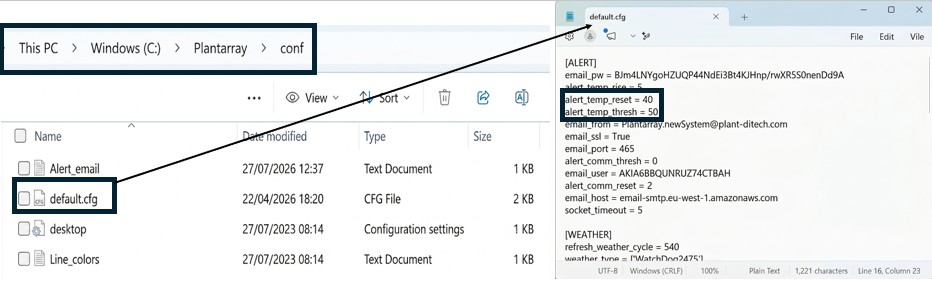
Open the conf folder inside your Plantarray directory.
Open default.cfg using Windows Notepad.
Under the [ALERT] section, set alert_temp_thresh = X, where X is the temperature threshold (in °C) that triggers an alert.
Set alert_temp_reset = Y, where Y is the temperature threshold (in °C) required to reset the alert system. The temperature must fall back to this value before a new alert will be sent if it reaches X again.
Save the file.
Experimental Alerts
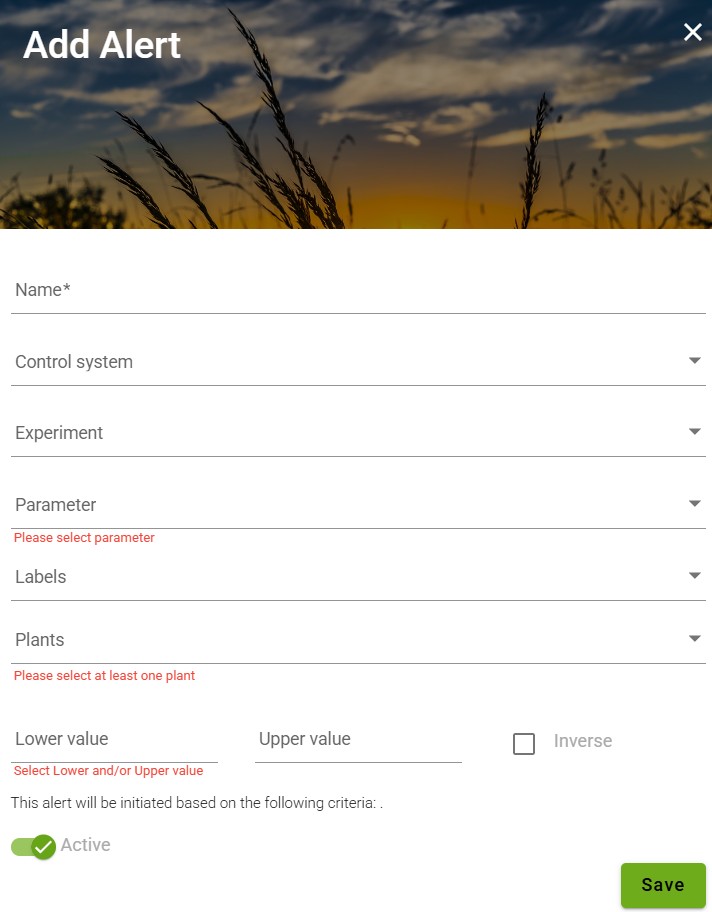
Experimental Alerts allow you to set customized notifications for any sensor parameter available in your system:
Lysimeters (Weight Sensors): Set alerts based on total weight, plant weight, transpiration rate, daily transpiration, stomatal conductance, etc.
Atmospheric Sensors: Set alerts based on ambient temperature, relative humidity, or solar radiation.
Add-on Sensors: Set alert thresholds for any additional integrated sensors.
How to set up:
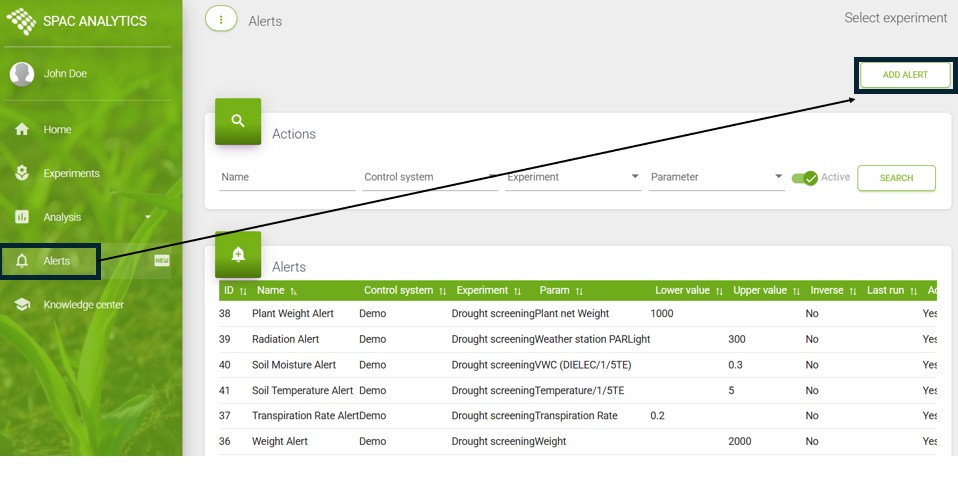
Log in to the SPAC website.
Click the Alerts icon in the left-hand menu.
Click the ADD ALERT button and select your desired parameters and threshold values.
Note: Experimental Alerts are available exclusively to subscribed users. Please contact our support team for a price quote.
Irrigation & Data Alerts
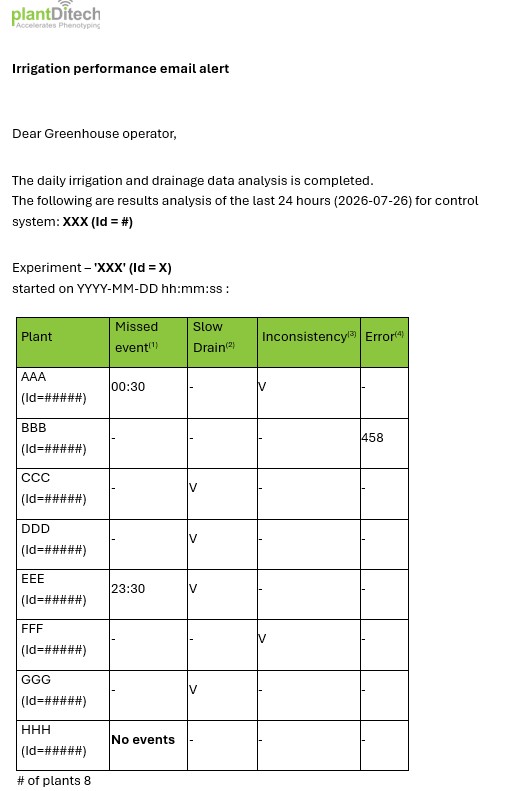
These alerts provide daily summaries regarding irrigation or data collection issues. Each day, you will receive an email listing problematic plants that fall into one or more of the following categories:
Missed event: No valve opened at the scheduled timestamp, or the irrigation scheme was changed without triggering irrigation events.
Slow drain: The plant did not reach a steady weight (plateau) during the system weighing period, indicating a drainage problem.
Inconsisrency: Plant data exhibits abnormal behavior, which may indicate a malfunctioning solenoid valve.
Data Error: Plant weight measurements contain error data points, indicating corrupted data or an upload failure.
Note: Irrigation & Data Alerts are available exclusively to subscribed users. Please contact our support team for a price quote.
Below is an example of the email received: